How to Analyze Business Expenses in Excel to Reduce Costs (Step-by-Step Guide for SMEs)
Running a business without properly tracking and analyzing expenses is like driving at night without headlights. Many small and medium-scale enterprises (SMEs) in Nigeria lose money daily—not because sales are low, but because expenses are poorly monitored and unmanaged.
In this guide, you will learn how to analyze business expenses in Microsoft Excel step-by-step, identify financial leakages, and make smarter cost-reduction decisions that directly improve profitability.
More insights: Visit the Analytiq Blog for more Excel & Business Tips
Why Expense Analysis Is Critical for Every Business
- Overspend without realizing it
- Struggle with cash flow shortages
- Make inaccurate pricing decisions
- Miss hidden financial leakages
- Experience declining profitability
- Control and monitor spending
- Improve profit margins
- Create realistic budgets
- Strengthen long-term financial sustainability
Step 1: Create a Simple Expense Tracking Template in Excel
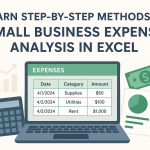
- Date
- Expense Category
- Description
- Payment Method
- Amount
- Responsible Staff (Optional)
Convert the range into an Excel Table (Ctrl + T) for dynamic reports.
External Guide:
Microsoft Excel Help Center
Step 2: Categorize All Expenses Properly
Rent, Electricity, Internet, Marketing, Staff Wages, Transportation, Inventory Purchases, Maintenance, Miscellaneous.
Accurate categorization is the foundation of powerful analysis.
Step 3: Summarize Expenses Using Pivot Tables
- Highlight your expense table
- Insert → Pivot Table
- Category → Rows
- Amount → Values
Step 4: Visualize Your Expenses with Charts
Chart 1: Column Chart – Expenses by Category

Chart 2: Line Chart – Monthly Expense Trend

Chart 3: Pie Chart – Expense Distribution

Step 5: Identify Cost Leakages
- Sudden monthly spikes
- Unused subscriptions
- High operating costs
- Rising costs without revenue growth
Step 6: Turn Insights into Cost-Cutting Decisions
- Renegotiate suppliers
- Reduce waste
- Optimize staff operations
- Adjust pricing
Real Business Impact
SMEs that track expenses monthly improve profit by 20–35% within six months.
Frequently Asked Questions (FAQ)
1. Can I use Excel instead of accounting software for expense tracking?
Yes. Excel is perfect for small and medium businesses for tracking expenses, generating reports, and monitoring profitability without expensive software.
2. How often should a business analyze expenses?
At least once every month. Weekly reviews are better for fast-growing businesses.
3. What is the biggest benefit of expense analysis?
It helps you identify waste, control spending, improve cash flow, and increase profit.
4. Can I use this Excel tracker on my phone?
Yes. You can upload it to OneDrive or Google Drive and use it with the Excel mobile app.
5. Is this Excel tracker free?
Yes. The version provided on Analytiq is completely free to download and use.
Conclusion
You do not need expensive accounting software to manage your business finances effectively. With Excel and the right analysis approach, you can uncover waste, protect profits, and grow sustainably.